Create your own custom crosshairs
Crosshair X is a premium gaming utility that takes your FPS game experiences to a new level, offering the ability to overlay custom crosshairs on any game. This is a game-changer for avid players of the genre, enabling a clear and precise aim irrespective of the game at hand.
Top Recommended Alternative

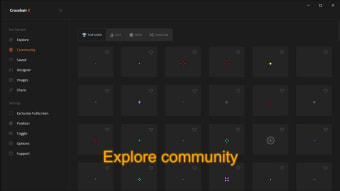
Developed by CenterPoint Gaming, Crosshair X allows users to use crosshairs created by a large community of fellow players or create a unique overlay of their own. It works with a wide range of game titles, including Project IGI, Call of Duty 4, and more.
Extensive customization
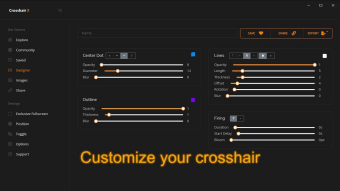
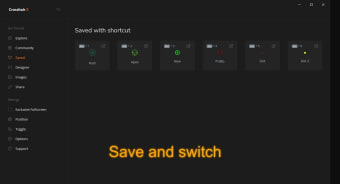
Crosshair X is incredibly user-friendly, utilizing sliders to adjust any characteristic of your overlay. Sharing designs with friends and the option to upload any image to be used as a crosshair are impressive features that add a social element and a touch of personalization. The ability to toggle crosshair visibility, manage saved positions for different games, and export your crosshair as a PNG or SVG file also offers a considerable amount of flexibility and control.
This game utility shines because of its numerous customization options—adjusting lines for opacity, length, width, offset, color, blur, and rotation; customizing the center dot and outlines; altering the T-shape; and adjusting the X and Y coordinates of the crosshair. One particular standout feature is the Bloom effect, which allows the crosshair to spread apart when firing, a subtle touch that adds a level of realism and immersion.
Exclusive Fullscreen with Game Bar extension
However, no product is without its flaws. A primary drawback for players to note when utilizing this tool is that playing certain games in full-screen mode can cause your crosshair to freeze or even fail to appear. Users can still make use of it by playing the game in the standard window mode. However, users must bear with input lag when using it in this mode.
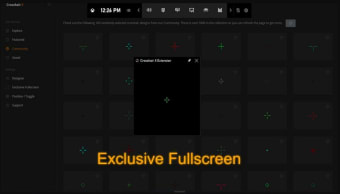
On the other hand, if you want to get Crosshair X working in Exclusive Fullscreen mode for your games, head over to the Exclusive Fullscreen tab within the app and follow the detailed instructions on how to set up the Game Bar extension properly. The Game Bar is a reliable, trusted, and secure game overlay platform developed specifically by Microsoft to enhance the gaming experience for PC gamers.
A stellar tool
Crosshair X is a powerful and highly customizable gaming utility that enhances FPS gameplay by allowing users to overlay custom crosshairs on any game. With extensive customization options and a strong community, it offers flexibility and control, elevating gamers' precision. Though it faces challenges in Exclusive Fullscreen mode, following the app’s setup instructions with Microsoft’s Game Bar can resolve these issues, making it a valuable tool for dedicated FPS players.